
Installing Agentforce for Microsoft Teams
This guide walks you through installing and configuring Centro's Agentforce for Microsoft Teams. While these steps are self-serve, we highly recommend setting up a call with our team to guide you through the setup!
Prerequisites:
Salesforce Admin Access
Microsoft Teams Admin Access
The Centro app consists of two companion apps: One for Salesforce and one for Microsoft Teams. The process is described below:
Step 1: Install the Centro Core Package in Salesforce
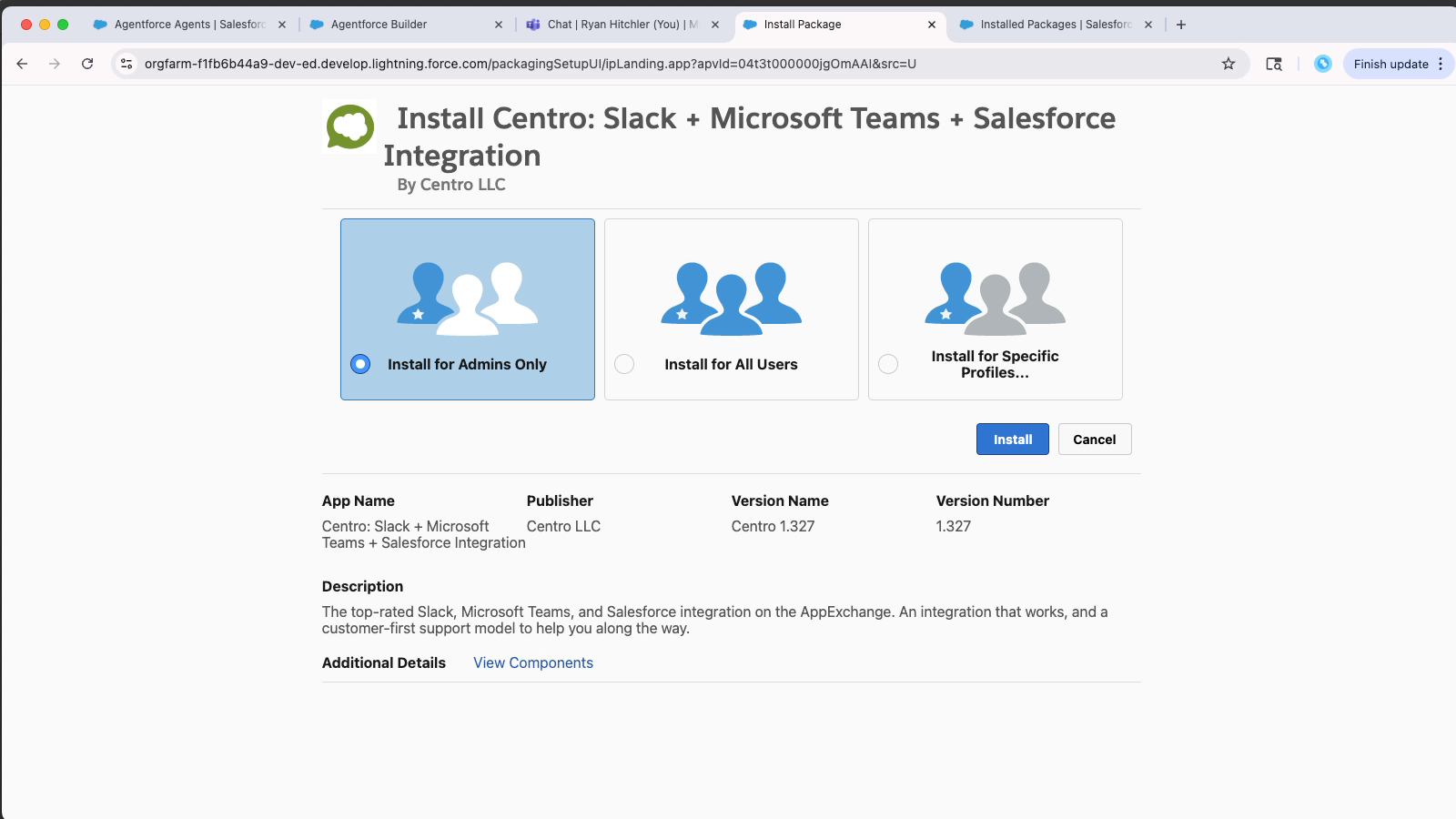
Before installing the Agentforce package, install the Centro Core package.
Use the install links below:
- Production Install Link
- Sandbox Install Link-
Select Install for Admins Only.
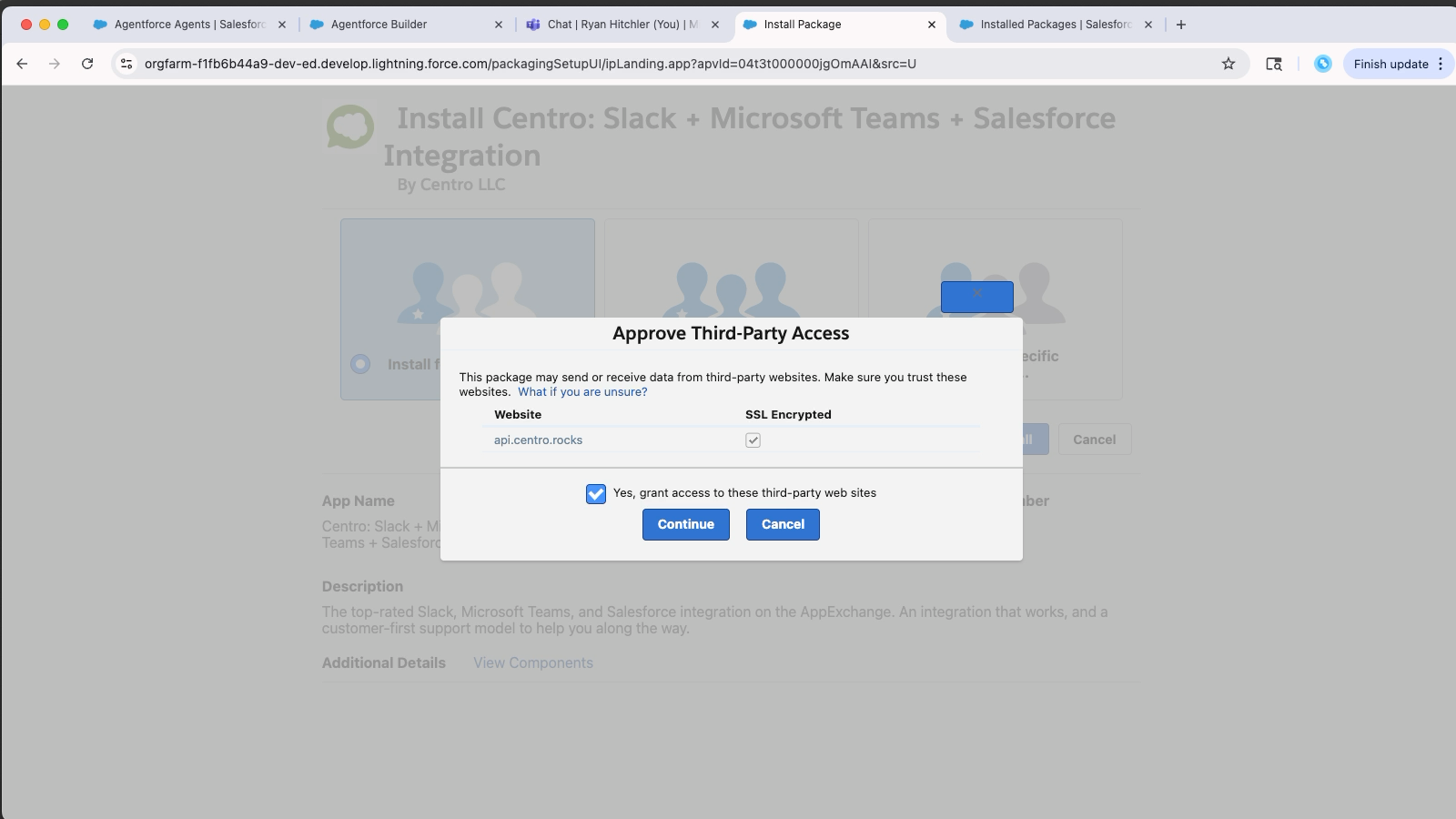
Accept third-party access and begin the install.
If the install takes time, click Done — you’ll receive a confirmation email when the install is complete.
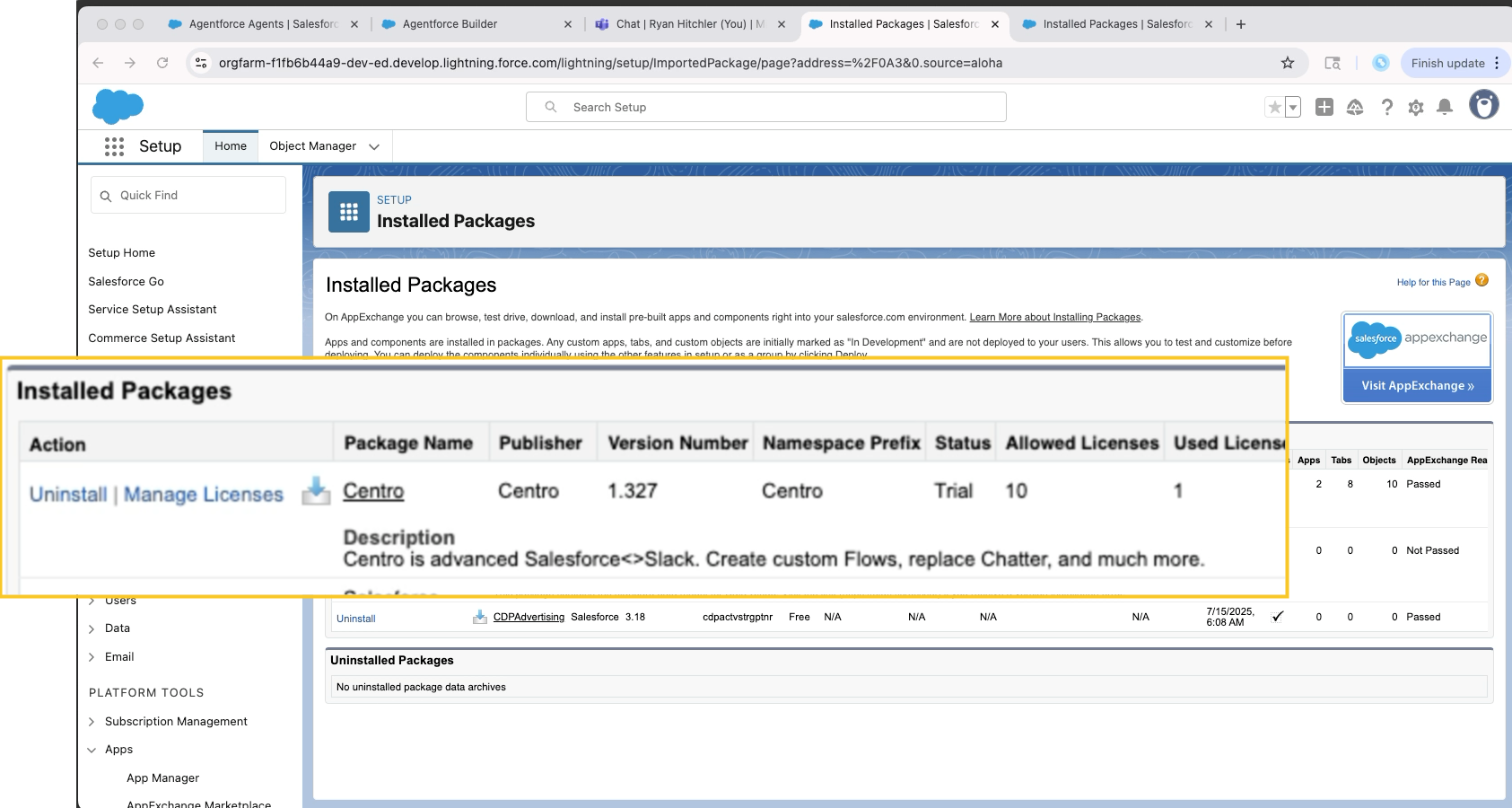
Once installed, verify by going to: Setup → Installed Packages → Centro
Step 2: Install the AgentForce for Microsoft Teams Package
From AgentExchange, search for: AgentForce for Microsoft Teams - or use this link
Click Get It Now and choose the same environment (Production or Sandbox) as before.
Log in when prompted, then select Install for Admins Only.
The installation should be complete.
Step 3: Add the Centro App to Microsoft Teams
You can do this one of two ways:
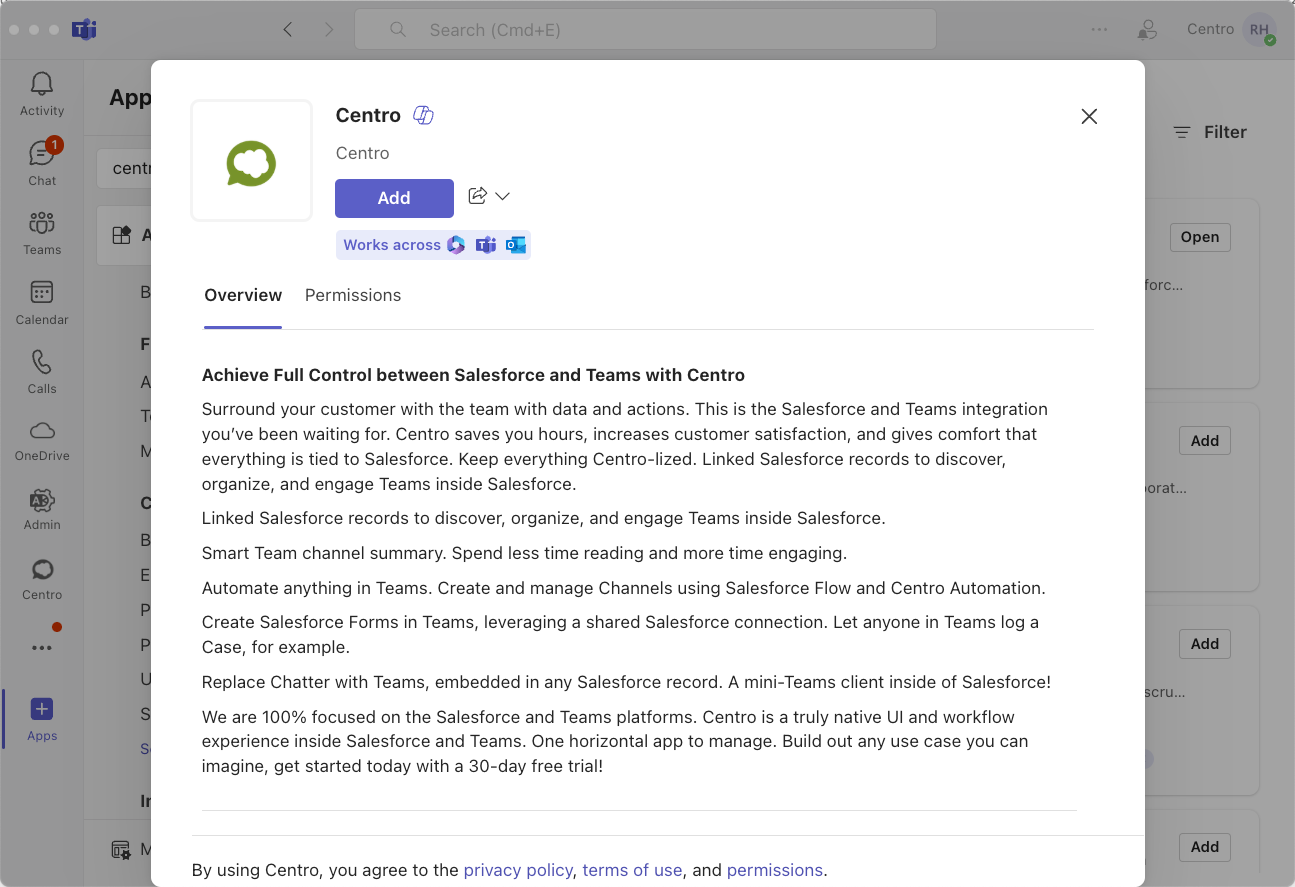
Option 1: Inside Microsoft Teams
Open Microsoft Teams
Click Apps
Search for Centro
Click Add
Option 2: From Microsoft AppSource
Visit Microsoft AppSource
Search for Centro
Click Get It Now
Once added, click Open to view the Centro home tab in Teams.
Step 4: Authorize the App in Microsoft Teams
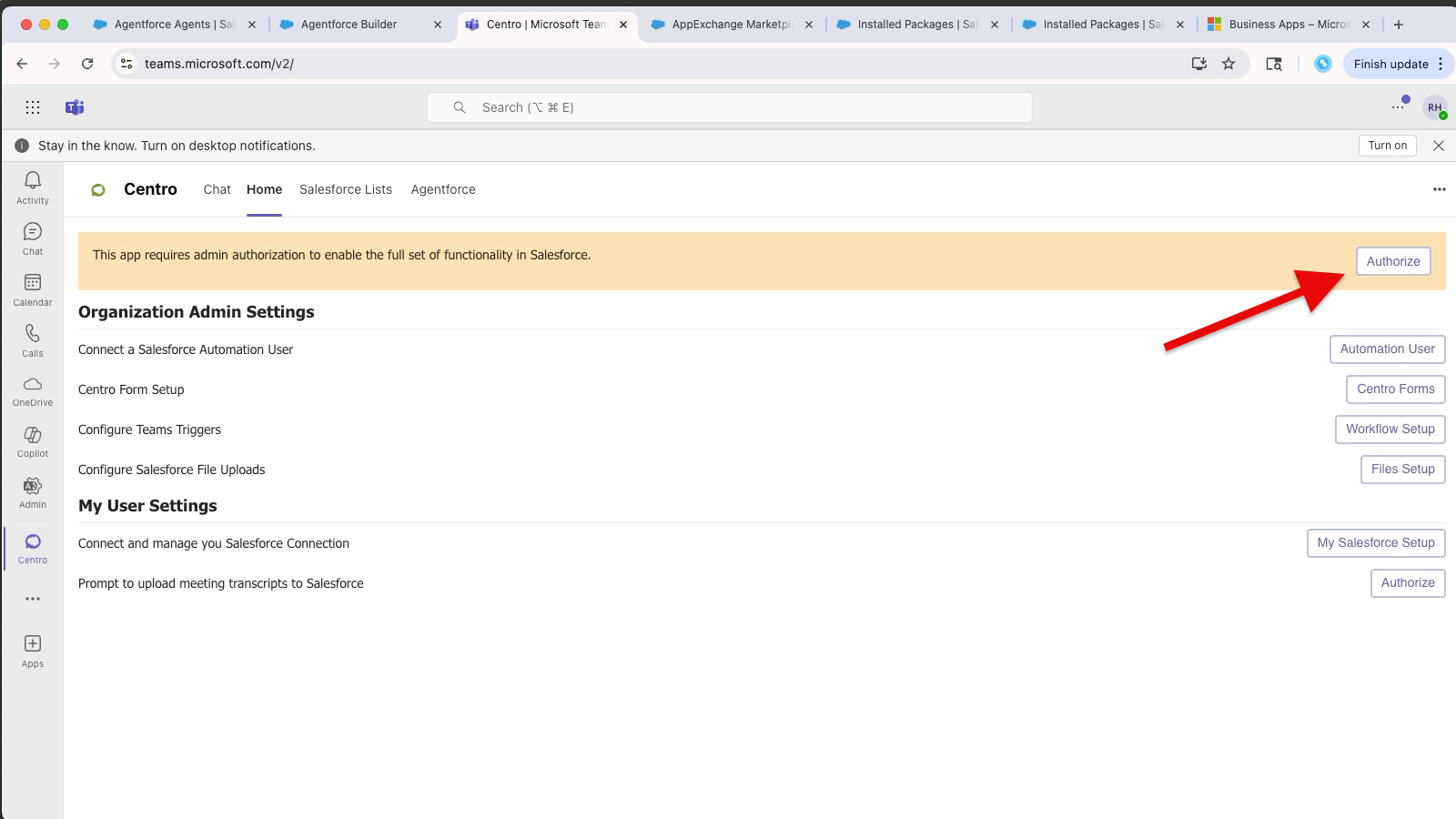
In the Centro Teams app->Home Tab, click Authorize.
A Microsoft Teams Admin may be required.
If you’re not an admin, click through the dialog and send a notification to your IT administrator.
Click Automation User, and select a Salesforce Production or Sandbox org to connect to.
Finally, go to the Centro app in Salesforce to see the established connection to Teams.
Step 5: Continue to the following Articles based on the type of Agentforce Agent you'd like to setup:
⚠️ Troubleshooting: Installation Order Matters
If you attempt to install Agentforce for Teams before installing the Centro Core package, you will encounter the following error:
❌ “This package can’t be installed.”
To resolve this:
First install Centro Slack + Microsoft Teams + Salesforce Integration
Then install AgentForce for Microsoft Teams