Centro AI - Slack Channel Summary & Daily Digest
Centro AI - Summary & Daily Digest
Centro offers Centro AI, which utilizes the advanced AI Engine by OpenAI to summarize Slack Channels on-demand and a daily digest of subscribed channels.
You may find the explainer video & use case video helpful as well.
This action can be invoked by:
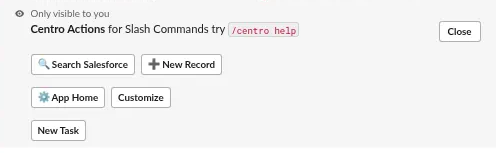
Typing /centro into any Slack Channel that Centro AI is a member of
Clicking "Centro AI Conversation Summary" in the @centro actions list:
Single, On-Demand Summary: Centro AI will summarize the last 30 messages in any Slack channel and provide the output as shown in the example below:
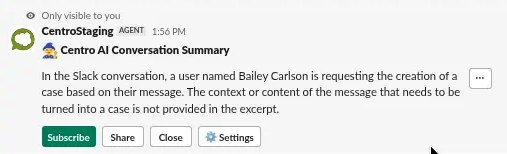
Note that each on-demand message is ephemeral (only visible to the user who invoked it).
Conversation Summary Options
After creating the summary, the user has the following options: Subscribe, Share, Close, and Settings.
Subscribe: The user can subscribe to receive this summary as a Daily Digest.
Share: The user can post the Centro AI Conversation Summary to the Channel.
Close: The user can close the ephemeral message.
Setting: The user can navigate to the Centro App Home.
Daily Centro AI Digest
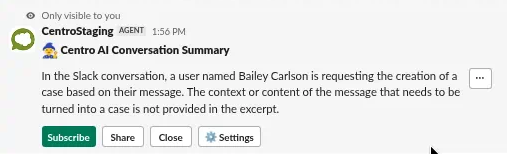
The on-demand Channel summaries can be scheduled for a daily digest for up to 5 selected channels. An example of this:
The setup for this feature is 2: selecting the channels to summarize and the time of their daily delivery.
Selecting Channels:
Users choose the channels they want as part of their digest in one of two ways:
Click the "Subscribe" button on any Centro AI on-demand summary.
-
Go to the Centro App Home, then under the Centro AI Settings section, click the "Select Conversations" button.
Selecting the digest delivery time:
In the same "Select Conversations" button in the Centro AI Settings in Centro's App Home is the Delivery Time setting:
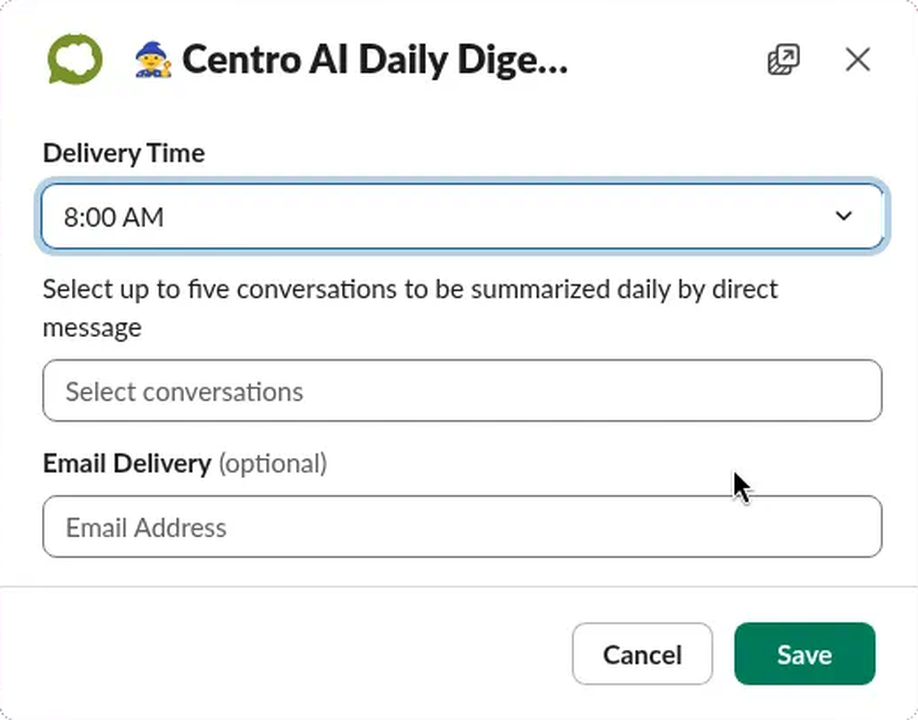
Note: the time selection is based on the User's Slack Time Zone definition.
Centro AI Feedback
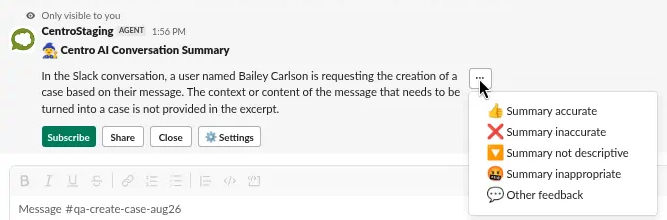
We allow users to give the Centro development team feedback on any Centro AI message. Simply click the overflow menu, and select from the options if we got something wrong with the summary: