
Connecting a Single Microsoft Teams Tenant to Multiple Salesforce Orgs
Overview
Centro Enterprise allows you to connect a single Microsoft Teams tenant to multiple Salesforce organizations. This is especially useful if your organization uses both Production and Sandbox environments, or if you manage multiple Salesforce orgs from the same Microsoft Teams tenant.
Using Additional Connections, you can easily switch which Salesforce org is your default connection while maintaining access to your other environments.
Prerequisites
Centro Enterprise licensing
Centro installed in Microsoft Teams
Administrator access to configure the Automation User
Credentials for each Salesforce org you want to connect
When to Use Multiple Connections
Common scenarios include:
Connecting Microsoft Teams to both a Production org and one or more Sandbox orgs.
Managing multiple Salesforce organizations from a single Microsoft Teams tenant.
Testing new functionality in a Sandbox while continuing to use Production for day-to-day business.
How to Add an Additional Salesforce Connection
Open the Centro app in Microsoft Teams.
Sign in as the Automation User.
Navigate to the available Salesforce connections.
Select Additional Connections.
Authenticate with the Salesforce org you would like to add.
Repeat these steps for any additional Salesforce organizations.
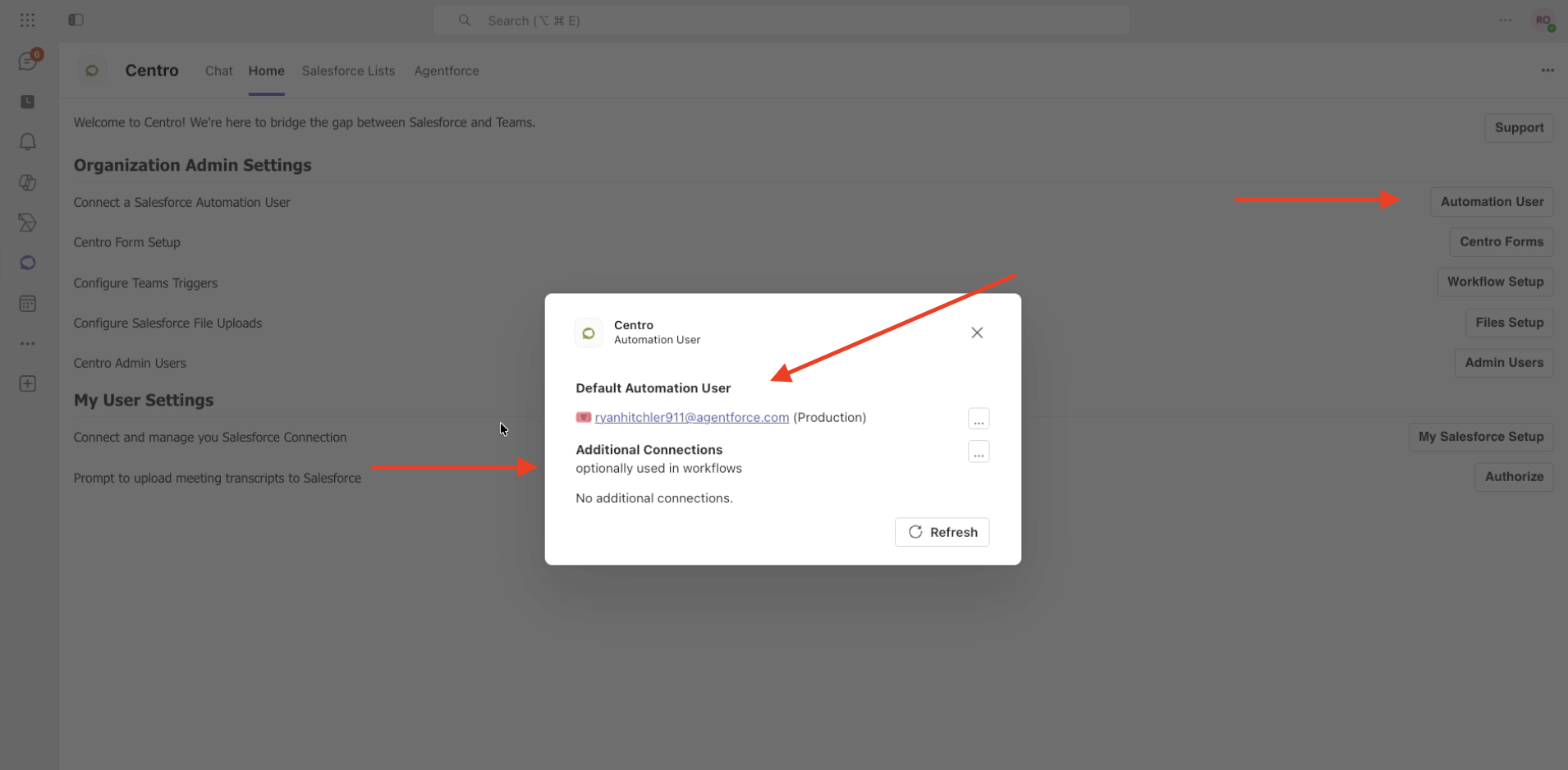
Changing the Default Salesforce Connection
During an initial implementation, administrators often connect to a Sandbox first for testing. Once testing is complete, you'll typically want to make your Production org the default connection.
To change the default connection:
Open the Centro app in Microsoft Teams.
Locate the list of connected Salesforce organizations.
Select the three-dot (⋯) menu next to the connection you want to modify.
Update the connection so that your Production Salesforce org becomes the default Automation User connection.
Reconnect your Sandbox as an Additional Connection if necessary.
This configuration allows Production to serve as your primary Salesforce connection while still providing quick access to Sandbox environments.
Best Practices
Make your Production org the default connection after deployment.
Use Additional Connections for Sandbox and testing environments.
Verify you're connected to the correct Salesforce org before making configuration changes.
Periodically review connected orgs to ensure they remain current.
Verify the Connection is successful by visiting the Centro App in all Salesforce Orgs
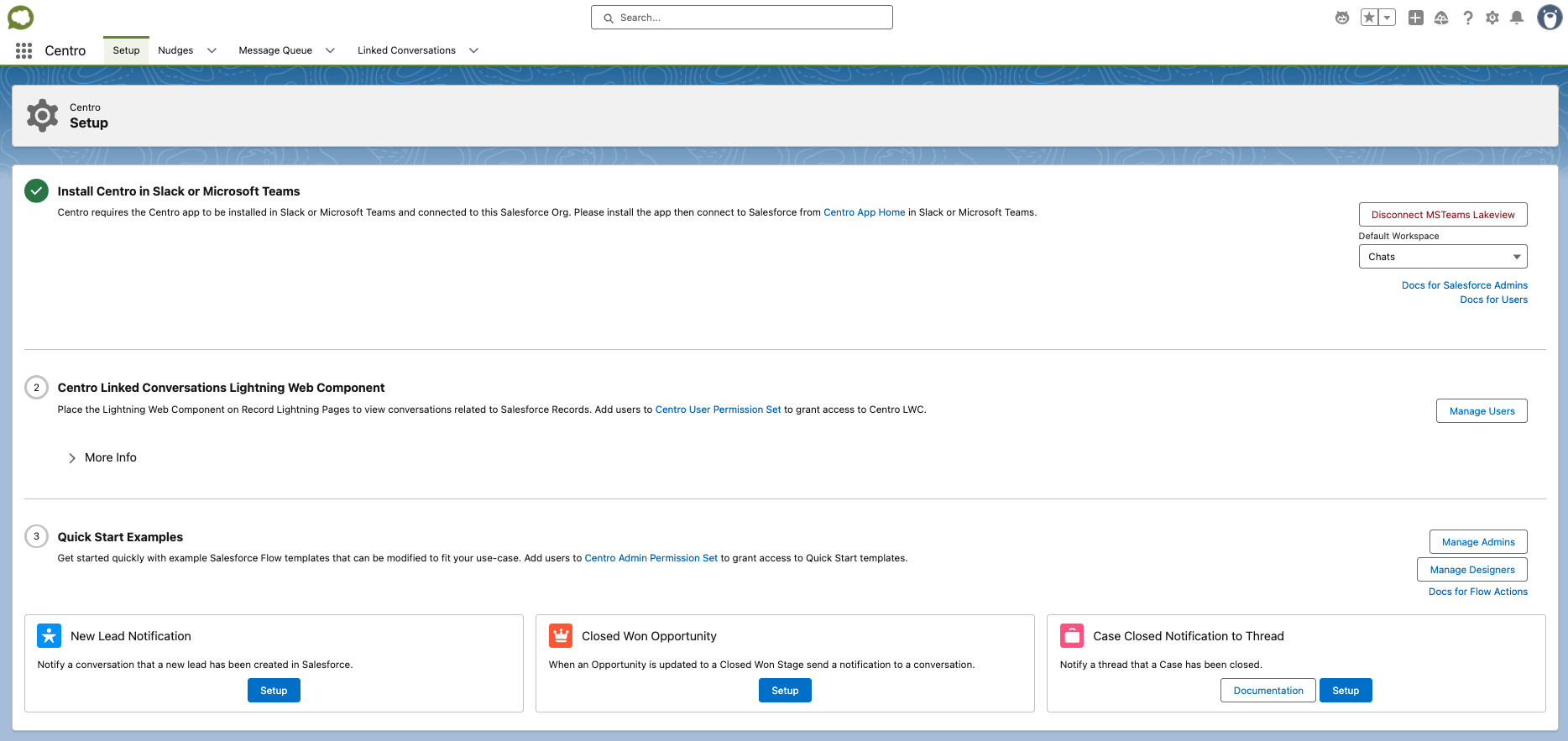
Result
After configuration, your Microsoft Teams tenant will be connected to multiple Salesforce organizations. Users can continue working within a single Teams tenant while administrators manage both Production and Sandbox environments without reconfiguring Microsoft Teams.
Need Help?
If you have questions about configuring multiple Salesforce org connections or encounter issues during setup, contact the Centro Support team.