. -->
New to Centro? See Salesforce working inside Microsoft Teams and Slack. Book a demo
Contact Us
Updated: 15 June 2026

How to Connect a Centro Automation User in MS Teams?

How to Connect a Centro Automation User?

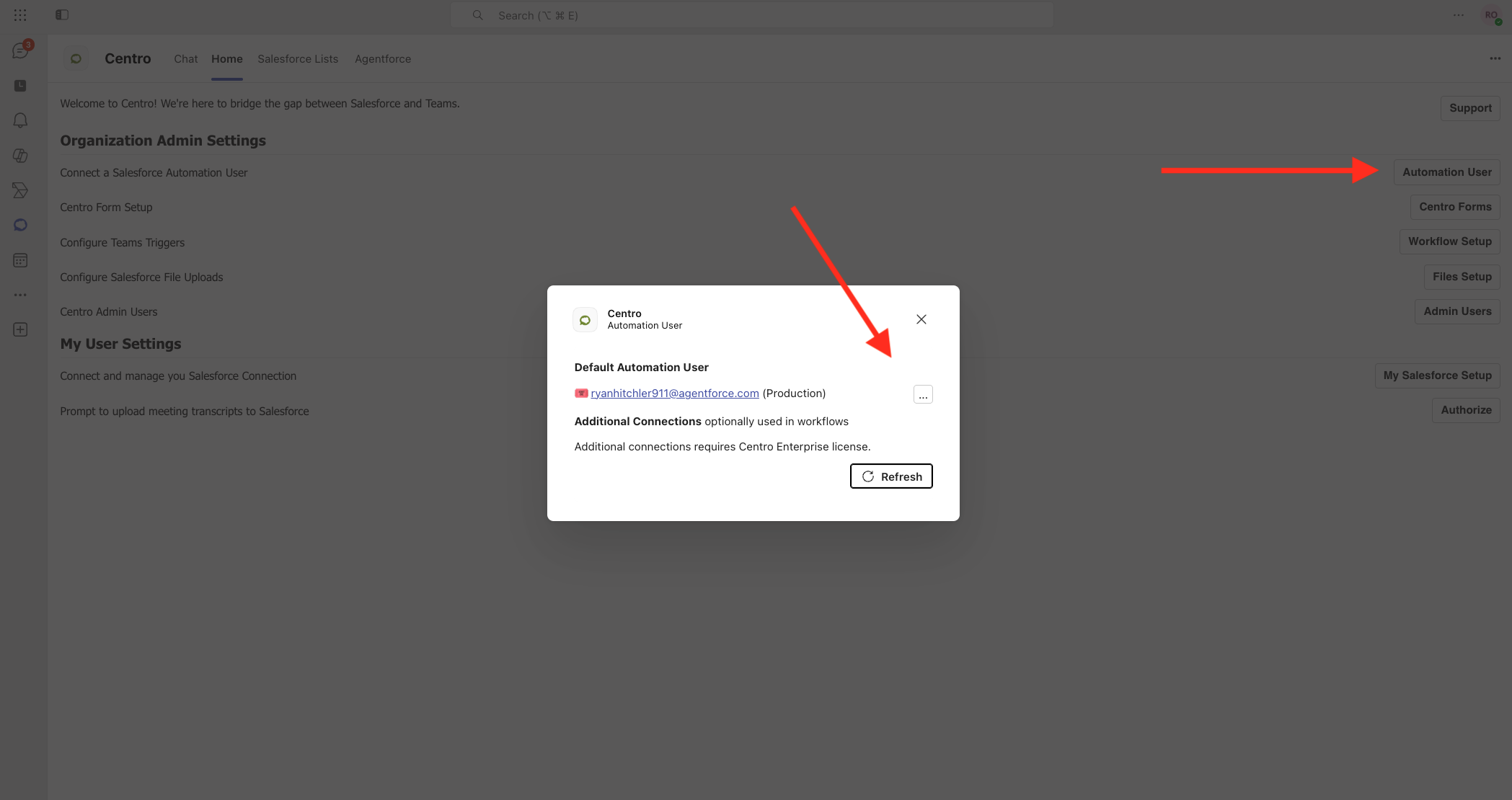
Navigate to the Centro App Home in the Centro App.  Then click the Automation User button.
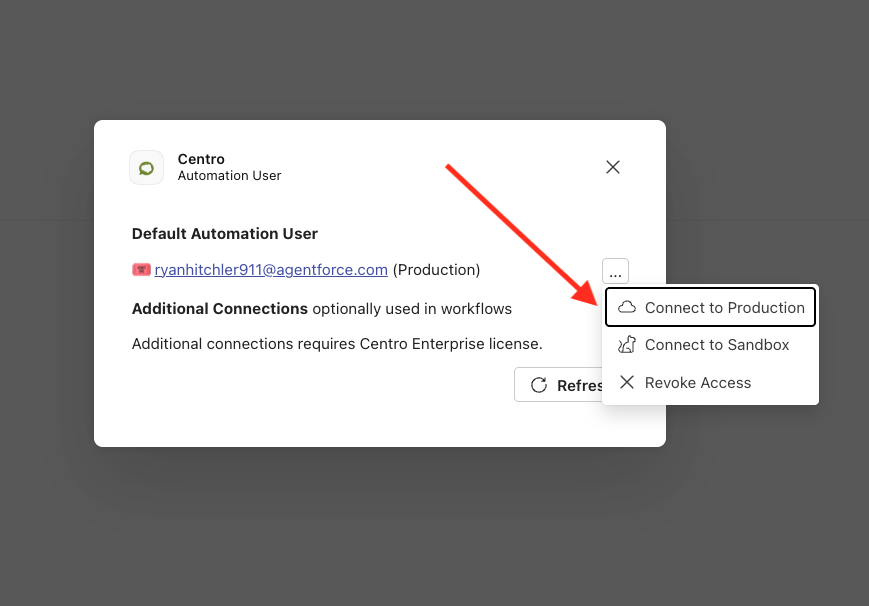
Then, authenticate to Salesforce as the user non-Salesforce users will be using to edit and create records.
Not using Centro yet?

Bring a Salesforce process you want to run from Microsoft Teams or Slack. We will show you how it works in Centro.

Book a demo See what Centro does