
Centro Conversation Tabs for Salesforce in MS Teams
Link conversations directly to Salesforce records and manage related data without leaving your channel or chat
Overview
Centro’s Conversation Tabs let you connect a chat or channel to a Salesforce record, giving your team instant access to key details and related lists. This integration streamlines workflows by allowing users to view, edit, and create Salesforce records directly within Centro.
Key Features
Link a conversation to any Salesforce object (e.g., Account, Opportunity)
View and manage related lists tied to the selected record
Edit records based on your Salesforce permissions
Create new related list items with automatic parent record association
Customize the record block with buttons and fields
Add the Centro App to a Conversation Tab
Open the desired conversation (chat or channel).
-
Click the + (plus) icon at the top of the conversation. Select Apps.
Search for Centro.
Click Add.
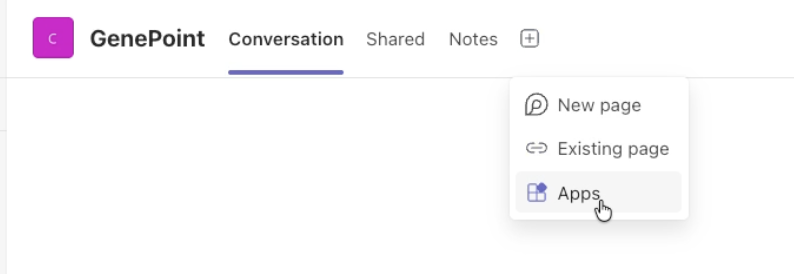
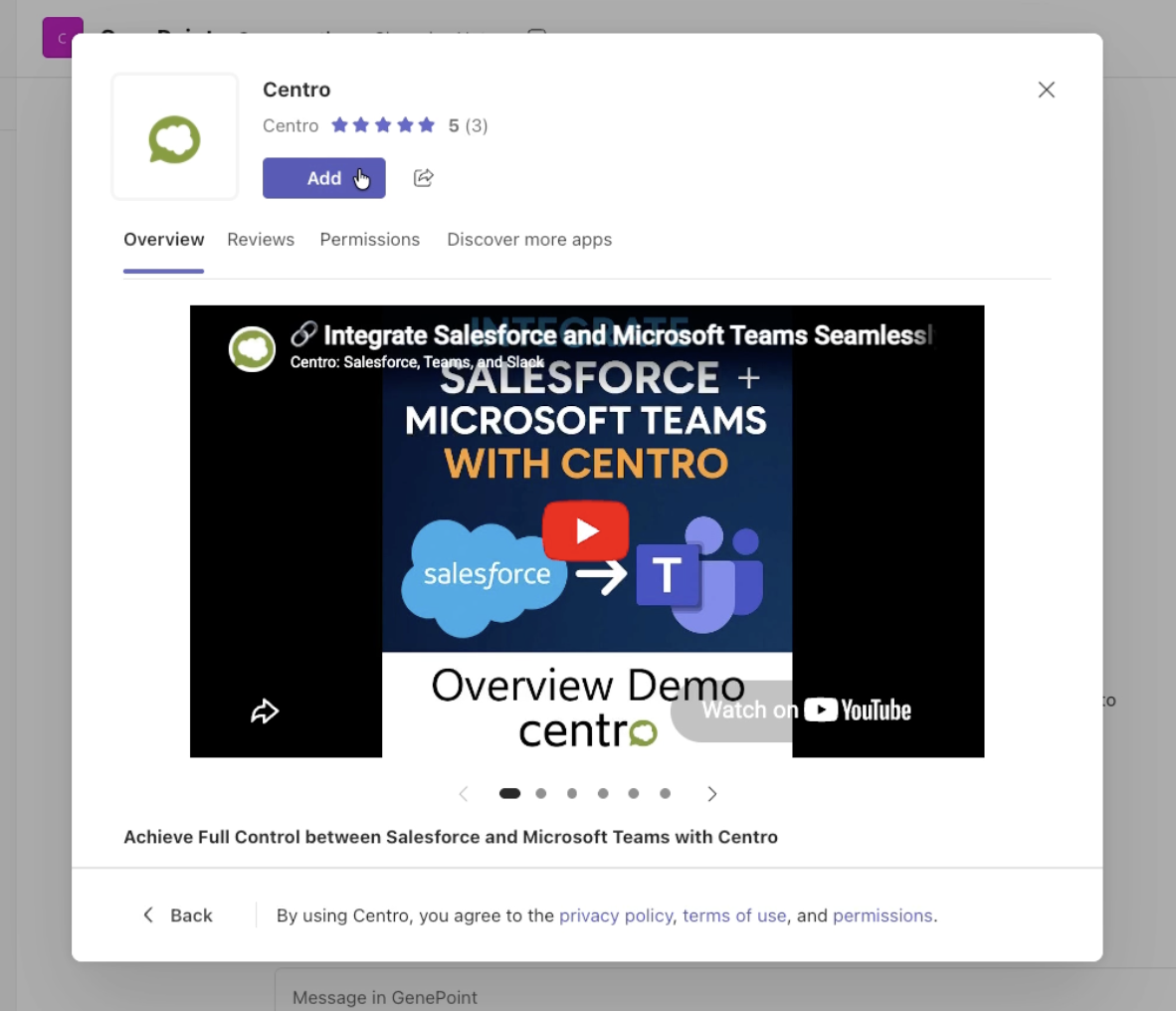
Once added, a Centro tab will appear at the top of the conversation.
Link a Conversation to a Salesforce Record
-
In the Centro tab, click Associate this conversation with a Salesforce record.
Click the gear icon to configure the connection.
Select the Salesforce object type (e.g., Account, Case, Opportunity).
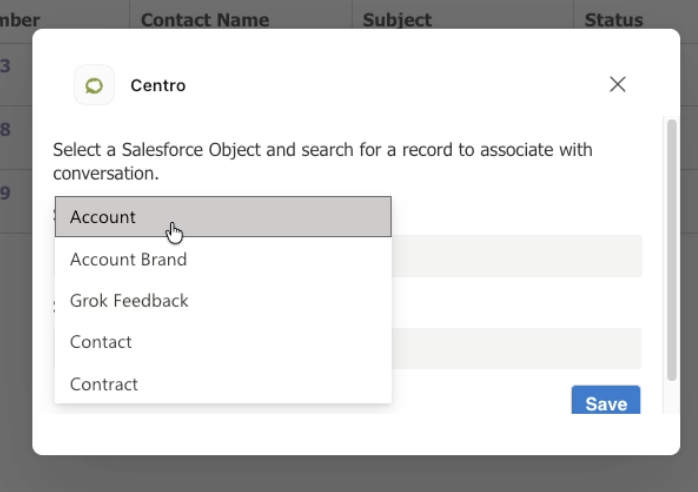
Search for and select the desired record.
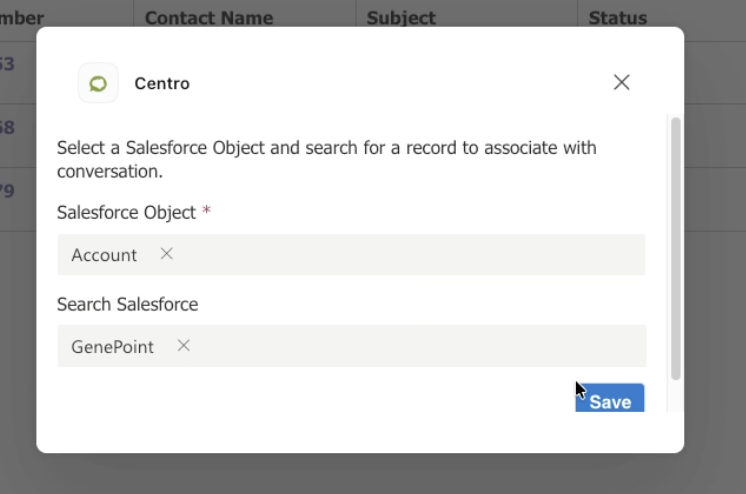
Click Save.
The selected Salesforce record will now appear in the Centro record block at the top of the tab.
Work with Related Lists
In the Centro tab, click the pencil icon below the record block.
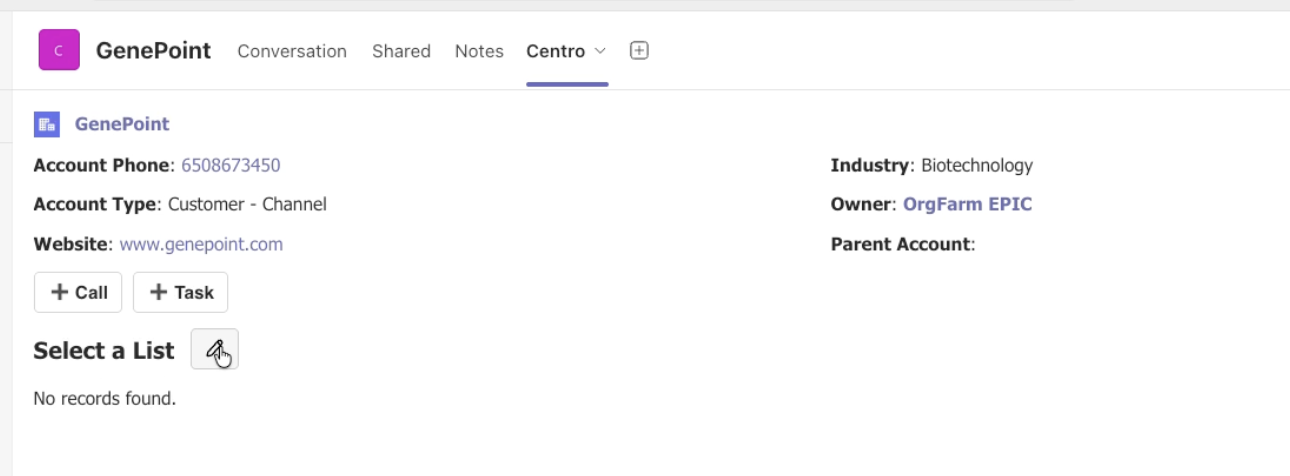
Choose a related list (e.g., Contacts, Activities, Opportunities). The related list items are display based on the page layout associated with Salesforce Record in the Record Block at the top of the Salesforce Conversation Tab.
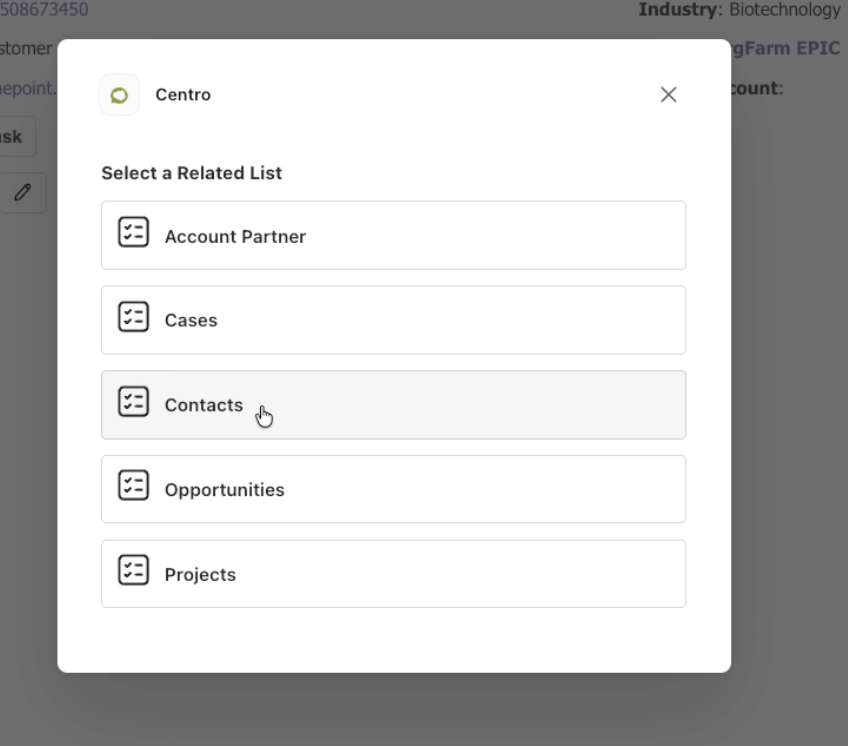
View all associated records within the selected list.

-
Create new related list records
The parent record is automatically populated
Add calls or tasks directly from the record block
Record Block Overflow Menu
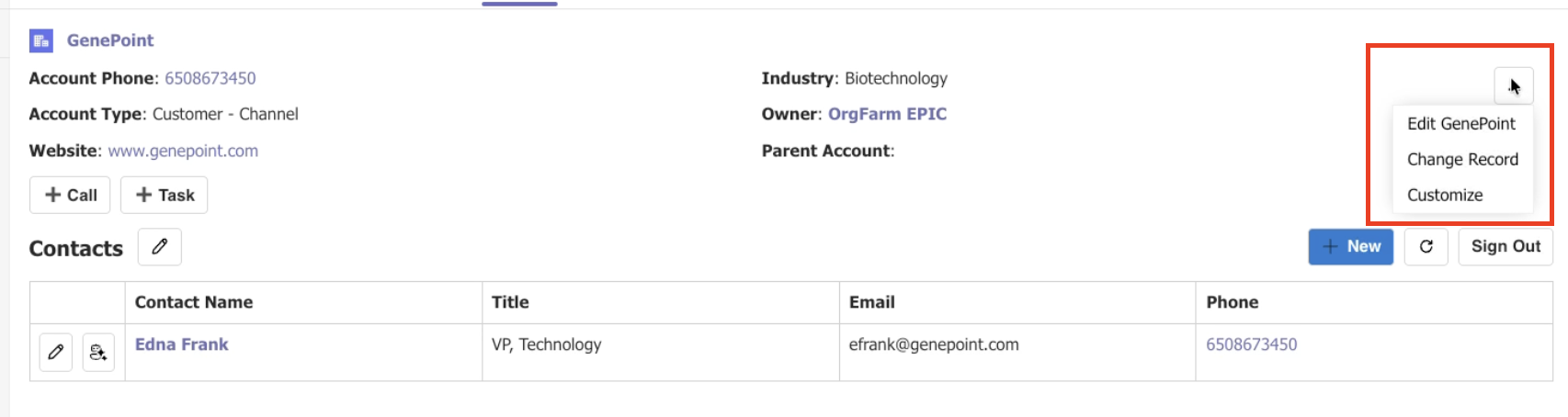
Within the Centro tab, you can:
Edit the main record (based on your Salesforce permissions)
Centro allows you to tailor the record block to your workflow:
Add custom buttons
Modify visible fields
Align layouts with your team’s needs
Tips & Notes
Your ability to edit or create records depends on your Salesforce permissions.
Automatically populated parent fields reduce manual data entry and errors.
Customization options mirror those available in Centro chats and channels.