
Managing Display Options for the Centro Record Block in Slack
Centro now offers enhanced display settings for the Centro Record Block in Slack, giving admins greater control over how Salesforce record information appears in both internal and external conversations.
This article explains how to configure these new display options and outlines important considerations for managing existing record blocks.
Overview
With the new display options, Centro admins can:
Hide the clickable Salesforce record URL
Disable standard actions such as Edit and Change Owner
Control these settings separately for internal and external (Slack Connect) conversations
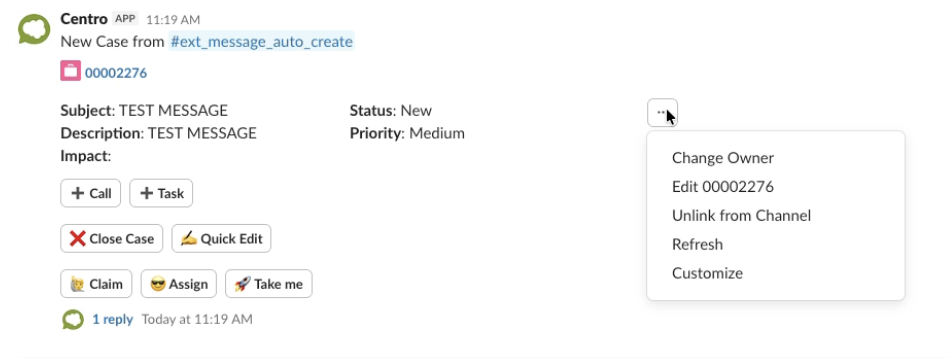
These enhancements allow teams to simplify the record block interface while maintaining appropriate governance and permissions.
Accessing Display Settings
Locate a Centro Record Block posted in Slack.
Click the three dots (⋯) in the record block.
Select Customize.
Navigate to the Display Options tab.
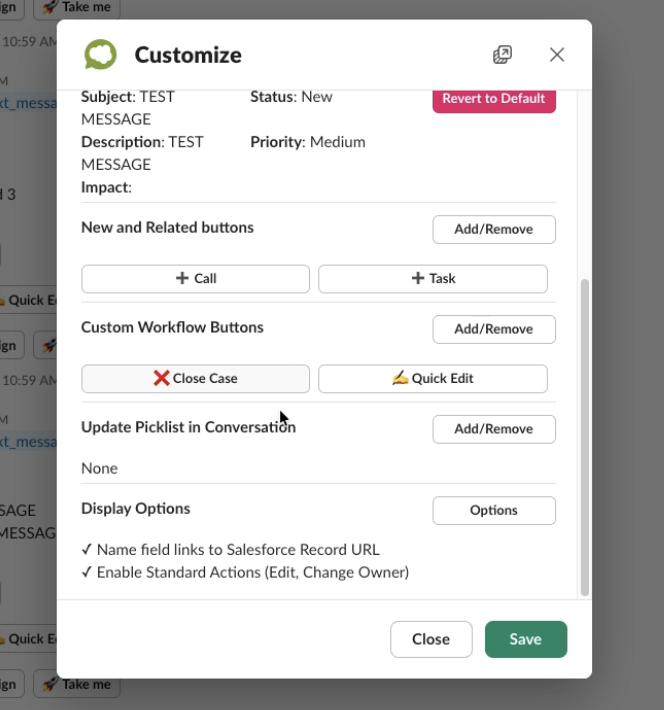
Within the Options tab, you will see the new display settings.
Available Display Options
1. Hide Salesforce Record URL
When disabled:
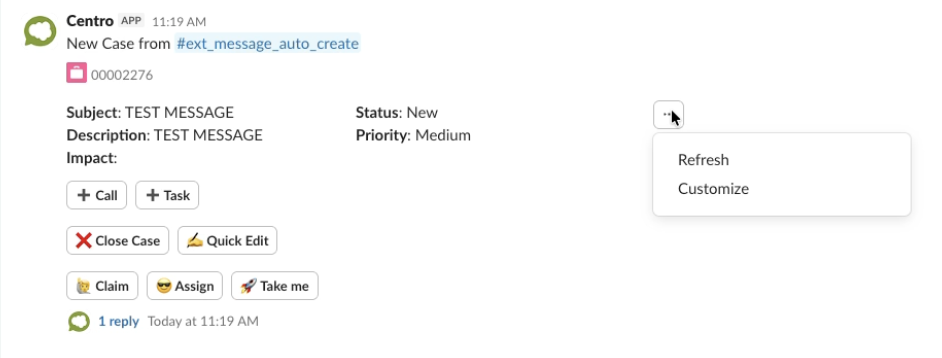
The Salesforce record name will display as plain text.
The link to the Salesforce record will no longer be clickable.
When enabled:
The record name remains a clickable link to Salesforce.
2. Disable Standard Actions (Edit and Change Owner)
When disabled:
The Edit and Change Owner actions will not appear.
Users will not see the three-dot action menu related to these standard Salesforce functions.
When enabled:
Connected Salesforce users can edit records or change ownership directly from Slack (depending on permissions).
Saving Your Changes
After adjusting your display settings:
Click Save in the customization window.
Confirm and save again.
External Conversations (Slack Connect)
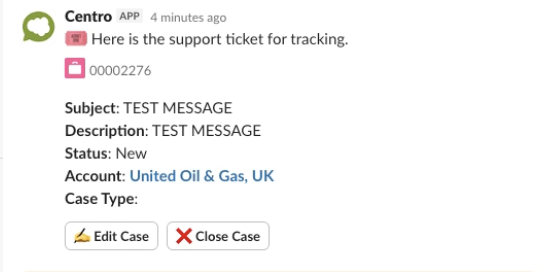
The same display options are available for record blocks posted in Slack Connect channels.
When display options are disabled:
The Salesforce URL will not be clickable.
Standard actions (Edit, Change Owner, and Customize) will not appear.
The three-dot action menu will be removed where applicable.
This ensures tighter control over record interactions in external collaboration channels.
Important: Modifying Existing Record Blocks
To change display settings on an existing record block:
The record block must be posted in an internal Slack channel.
Centro admins must access the customization menu from that internal post.
Once customization is removed, admins can reconfigure display options as needed.
If the record block is only available in an external channel, customization changes cannot be made directly from there.