
Message Queue Retention Setting
Centro's Message Queue object retains all outbound messages from Salesforce to Slack or Microsoft Teams for record keeping and replay features. By default, the message records in this object are retained for 60 days. However, this can be changed to any number of days desired, up to 9,999:
Here are the setting parameters:
Parameter |
Definition |
|---|---|
0 Days |
Never Delete |
60 Days |
Default Retention Setting |
1 - 9,999 Days |
Number of days to retain all records in the message queue object |
To adjust this setting:
1. Go to Salesforce Setup -> Quickfind -> "Custom Metadata Types"
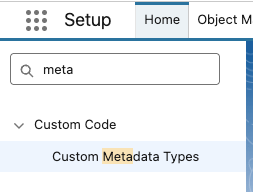
Find the setting "Notfication Setting" from Centro. Click Manage records:

In the Message Queue Retention Days, select the number of days to retain message queue records
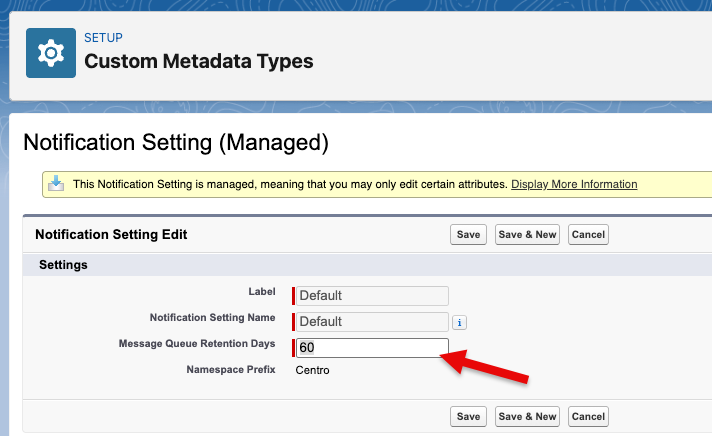
Click Save