Set Slack User Profile Status and Fields from Salesforce Flow
This Salesforce Flow Element from Centro allows the automatic update of Slack Member Profile Status and Profile values. A use case might be to set the Slack Member Status of an agent who is busy working on a Case until the Case is closed.
Prerequisites: The Member Management add-on from Centro. Contact sales@centro.rocks to learn more.
Setup Scopes (one-time setup)
Setup a Salesforce Flow
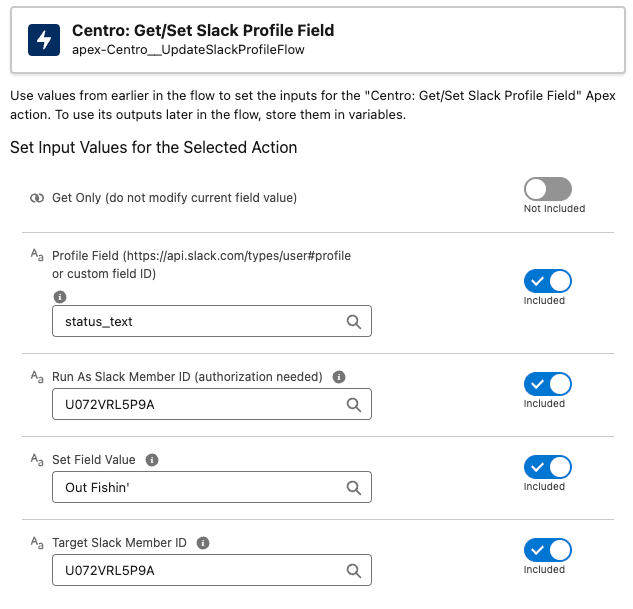
Add the Centro element Get/Set Slack Profile Field
-
Set the Run As Slack Member ID to a Slack Member that has Workspace Admin or above Slack access. Note, once this person grants access, use this Member Id in any other future Get/Set Slack Profile:
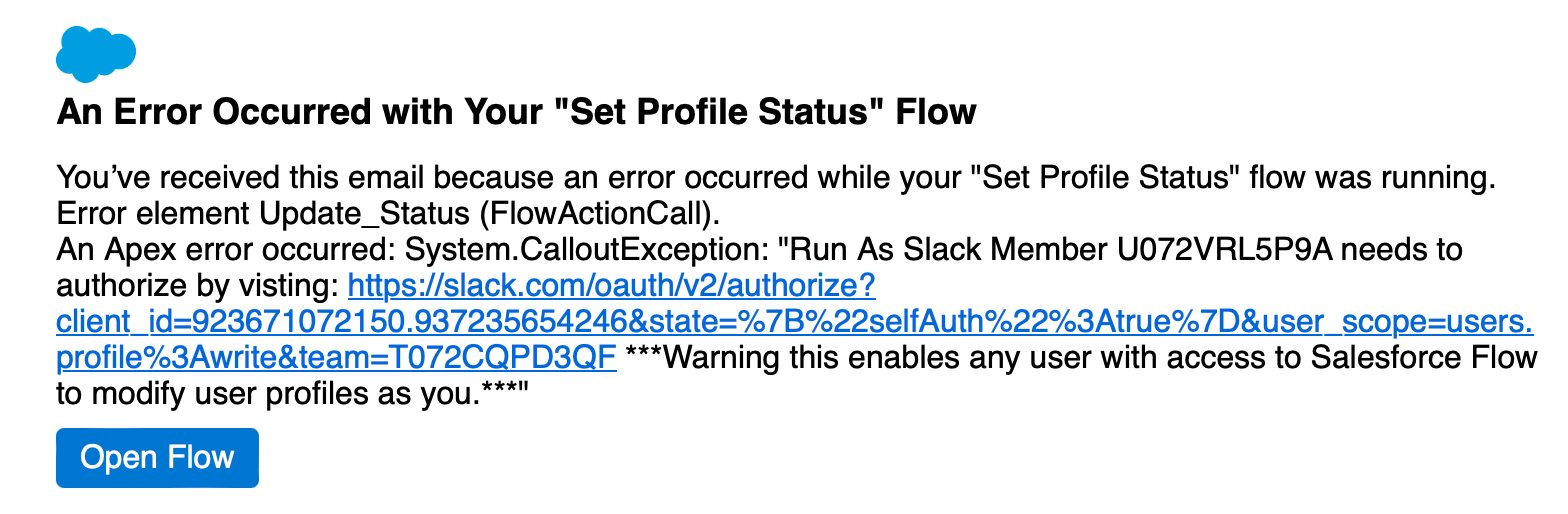
Debug the flow - you'll get an expected error when it encounters this step. This error will contain a URL that will ask for a scope to allow this functionality. Click the link in the error email or debug window:
Allow the scope request to proceed
Re-run the test flow to confirm success
Using the element for Setting Slack User Profile Fields
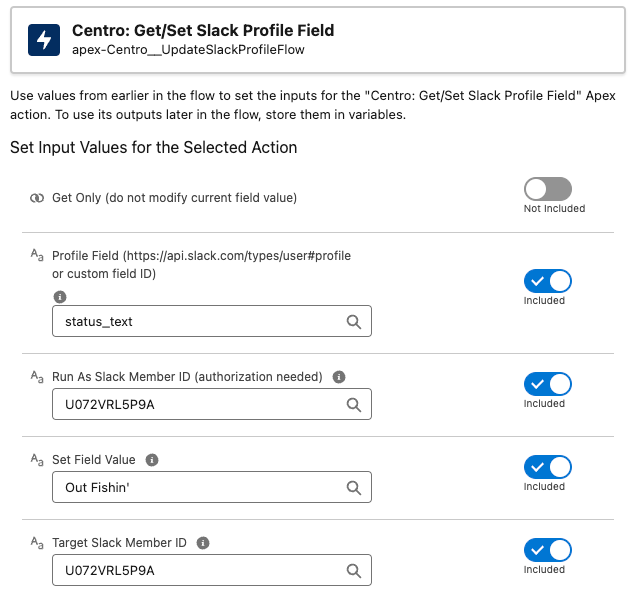
Leave the Get Only to toggled Off
-
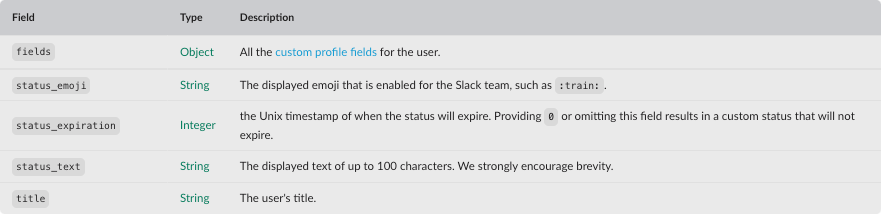
Profile Field: The API name of the Slack Profile field to set. These are defined here: https://api.slack.com/types/user#profile. Here's a sample of common fields to set:
Run As Slack Member ID: This is the Slack Member ID that you used to authorize in the first step
Set Field Value: The value you want to set for the Profile Field set above
Target Slack Member ID: The Slack Member ID of the profile you want to set. Note: Centro can set the Slack Member ID field on the Salesforce User record for access within the flow.